







The essential
- WordPress security updates are essential to protect your site against hacking and vulnerabilities.
- Here’s why and how to apply them.
Summary
WordPress Security: essential updates
WordPress security updates are essential to protect your site against hacking and vulnerabilities. Here’s why and how to apply them.
Creating a website is now accessible to everyone thanks to powerful tools like WordPress, which powers over 40% of websites worldwide. However, this popularity also attracts cybercriminals looking to exploit security flaws in poorly maintained sites.

One of the best ways to protect your site is to regularly perform WordPress security updates. Yet, many site owners neglect this essential step, which can lead to serious consequences: hacking, data loss, or even site blockage.
In this article, we will see why updates are indispensable and how they contribute to effectively securing your WordPress site.
Why WordPress Updates are Crucial
💡 Is this article useful to you? Our team can implement these strategies for your business. Request your free quote →
WordPress updates are not only meant to add new features. They are primarily designed to fix security vulnerabilities discovered by developers and cybersecurity experts.
When a vulnerability is identified, developers quickly release a new version to protect user sites. If you do not install these updates, your site remains exposed to attacks.
An unupdated site can become an easy target for:
- code injection attacks
- the installation of malware
- data theft
- redirection to fraudulent sites
Regular updates therefore help to significantly reduce the risk of hacking.
The Different Types of WordPress Updates
There are several types of updates that contribute to the overall security of your site.
Core WordPress Updates
The core of the CMS is regularly improved by the WordPress development team. These updates may include:
- bug fixes
- performance improvements
- security patches
It is recommended to install these updates as soon as they are available.
Plugin Updates
Plugins allow you to add many features to a WordPress site. However, they can also represent an entry point for hackers if they are not updated.
Some popular plugins regularly receive patches to address security vulnerabilities. Ignoring these updates can put your site at risk.
Theme Updates
WordPress themes must also be kept up to date. An outdated theme may contain vulnerabilities that allow hackers to access your site.
Even if you are using a premium or custom theme, it is important to regularly check for new versions available.
The Risks of an Unupdated WordPress Site
A WordPress site that does not receive regular updates is exposed to several serious problems.
Site Hacking
Hackers often exploit known vulnerabilities in older versions of WordPress or plugins. Once the site is compromised, they can inject malicious code or alter the content.
Data loss
Hacking can lead to the deletion or modification of your data. Without a recent backup, recovering the site can become difficult.
A bad reputation
If your site is infected with malware, search engines may display a security warning to visitors. This can severely damage your company's credibility.
An impact on SEO
Hacked or infected sites are often penalised by Google. Your position in search results may drop, leading to a significant decrease in traffic.
How to Effectively Manage WordPress Security Updates
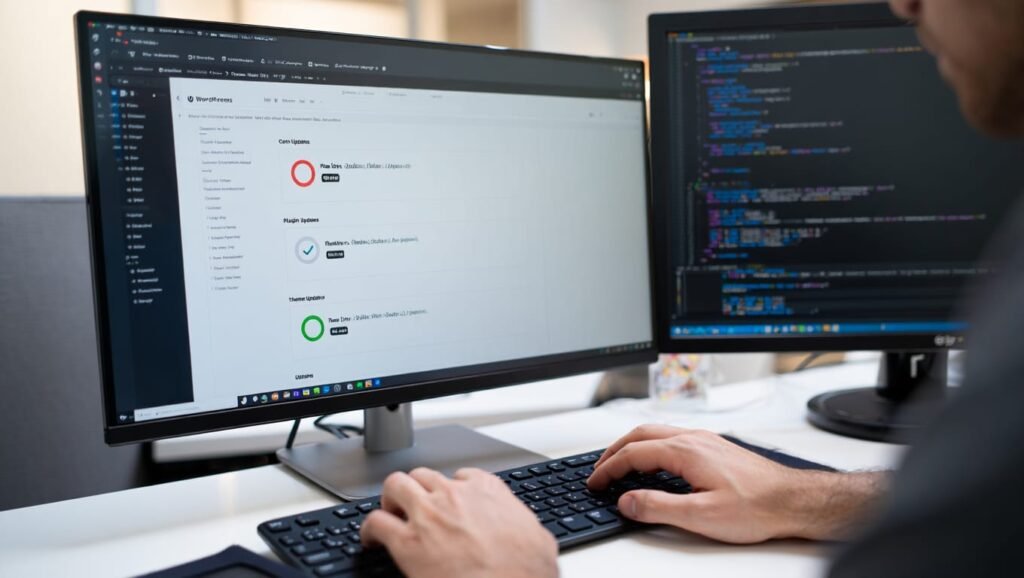
To ensure the security of your site, it is recommended to implement a regular maintenance strategy.
Check for updates every week
Log in regularly to your WordPress dashboard to check if new versions are available.
Backup before each update
Before installing a major update, it is always advisable to back up your site so that you can restore a previous version in case of problems.
Remove unused plugins
Unused plugins can pose a security risk. It is best to remove those that are no longer needed.
Use security tools
Some specialised plugins allow you to monitor your site and alert you in case of suspicious activity. These tools can effectively complement security updates.
Why Entrust WordPress Maintenance to a Professional

Managing updates can sometimes be complex, especially for businesses that lack technical skills.
Hiring a professional allows:
- to ensure regular monitoring of updates
- to prevent compatibility issues
- to strengthen the overall security of the site
- to save time
Professional WordPress maintenance ensures that your site remains secure, performant and always operational.
Conclusion
The WordPress security updates is an essential step to protect your site against cyberattacks. They allow you to fix vulnerabilities, improve performance and ensure the stability of the site.
Neglecting these updates can expose your site to numerous risks, ranging from hacking to loss of visibility on search engines.
By adopting regular maintenance and staying attentive to new versions available, you ensure the security and longevity of your WordPress site in the long term.
Need help with your digital project?
Our experts support you from A to Z. Free quote within 24 hours, no obligation.
Request my free quote →📞 04 65 84 00 27 — MS France Concept — Sète & Arcachon
Does this topic concern your site? We will review your situation and tell you what to correct, without jargon.